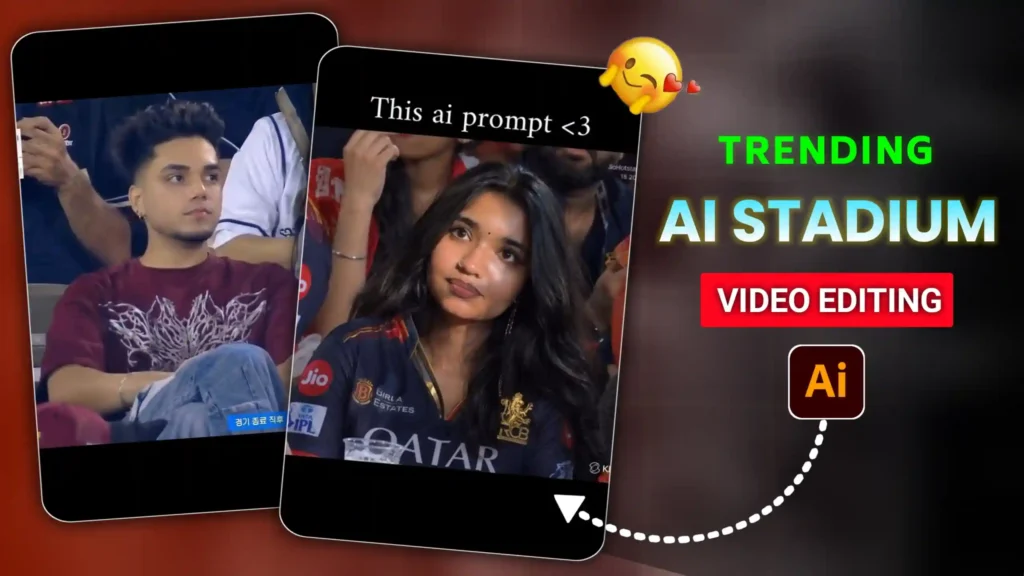
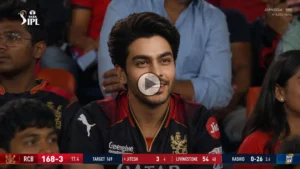
IPL Cricket Stadium AI Video Editing Prompts – Friends, if you are active on Instagram, then you must have seen the video of a cricket stadium somewhere in the current time. In which a boy or a girl is sitting in a cricket stadium, and he is looking around in a filmy style, or is running his hand through his hair. This type of video is being traded a lot these days. Everyone is creating them. Look, it looks as if we are sitting in the stadium. And the camera there has recorded us. But it is not at all the case that people are generating this type of video using AI. In today’s article, I am going to teach you that if you want, you can generate this type of trading cricket stadium video. Many people are making different types of videos. And we are also going to give you many prompts below, with which you can also create different styles of cricket stadium video. You just have to stay with us till the end.
IPL Cricket Stadium AI Video Editing Prompts
Look, as I have told you above that people are creating such videos of their own in different different styles. Like many people are creating only their own videos, in which they are sitting in a big stadium and are looking here and there, and they show a lot of love. Many people are creating such videos with their couples, in which their GF, BF, or husband or wife is sitting. In the same way, they are looking here and there lovingly, or looking at each other. Friends, this video looks so real that if you watch it for the first time, you will feel as if it is a real recorded video. But as I told you that all these videos are being generated by AI, and you all know that how much AI has progressed in today’s date. Now it is very difficult to find real and AI generated photos or videos. To tell you the difference, this is also the reason why it is being traded so much, because it looks amazing. You must be aware that not everyone goes to such a big IPL stadium, because the tickets there are very expensive. But friends, now you people can create this type of video while sitting at home.
First create AI photo of cricket stadium
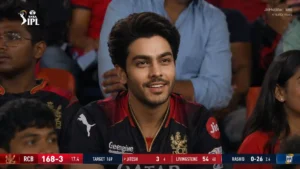
See friends, for this, the first thing we have to do is to generate the photo of the cricket stadium. Only after that, we will convert it into video, and whatever movement we have to do in our video, we will do it. But the first step is that we have to generate this type of cricket AI photo. So see, for this, if you want, you can also use Google Gemini, otherwise you can also use chatgpt. The process of both is exactly the same. We will tell you all here by using chatgpt. If you are going to teach, then first of all, friends, you have to completely copy the prompt given below. After that, you have to open the chatgpt app and add your own photo by clicking on the plus icon given there. See, if you want to create a couple type photo, then you will have to copy the couple prompt, and then add your and your couple’s photo there. After that, paste the prompt on chatgpt and send it. For a few seconds, you have to wait. Friends, your photo will be created and will appear in front of you. Then you have to save it in your phone’s gallery by clicking on the save icon. So first of all, you have to create your photo in this way.
Photo Prompt
After that make cricket stadium AI video
Friends, once you have created the photo, then now comes the turn to convert it into video and generate the video, which is our most important task. So see, for this you will need Google Flow. If you want, you can also go to Google Flow by clicking on the button below. And first of all, you have to copy the video prompt which we have given on the bottom side. After that, you have to go to Google Flow, click on the new project icon, and then on the video icon there. You have to click and select the frame. After that, you will get to see two icons named Start and End. Then you have to click on the start icon and add the photo generated from this chatgpt. And then paste the prompt there and send it to Google Flow. Now friends, here also you get the video generated within a few seconds. If you want, you can watch it by playing it. Otherwise, you can also save it in your phone’s gallery. If you find, then you can generate this trading ai stadium video in this way, and that too in a very easy way.
Video prompt
Conclusion
Look friends, here we have tried our best to explain everything to you in a good way. And we hope that you have now understood each and every step here in the way I have told, and by using IPL Cricket Stadium AI Video Editing Prompts, now you can also easily generate your own trading cricket stadium broadcast video with this method. Friends, we hope that you would have liked our article very much. If you liked it, then please do let us know by commenting below. And if you are interested in any other trending. If you want a prompt to generate the video, you can tell us by commenting below, we will write a new article on that also.